
How to Install IPTV on Smart TV in the UK (2025 Guide)
If you’re in the UK and want to watch IPTV on your Smart TV in 2025, you’re in the right place. Whether you’ve just subscribed to an IPTV service or you’re switching from traditional cable, installing IPTV on your Smart TV is easier than you might think. In this guide, we’ll walk you step-by-step through the process, recommend the best IPTV apps like IPTV Smarters Pro, and cover important tips for smooth streaming in the UK. By the end, you’ll have your favourite channels, movies, and sports set up and ready to watch—all without the headaches.
Step-by-Step Guide to Installing IPTV on Your Smart TV in the UK
Setting up IPTV on your Smart TV in 2025 is easier than ever, especially if you’re using IPTV Smarters Pro. Follow the steps below to get started and enjoy smooth, high-quality streaming of your favourite UK channels.
Step 1 – Check Your Internet Connection
Make sure your Smart TV is connected to a stable and fast internet connection (minimum 15 Mbps for HD streaming).
Step 2 – Install IPTV Smarters Pro
Open your TV’s app store (Samsung Smart Hub, LG Content Store, etc.)
Search for IPTV Smarters Pro
Download and install the app.
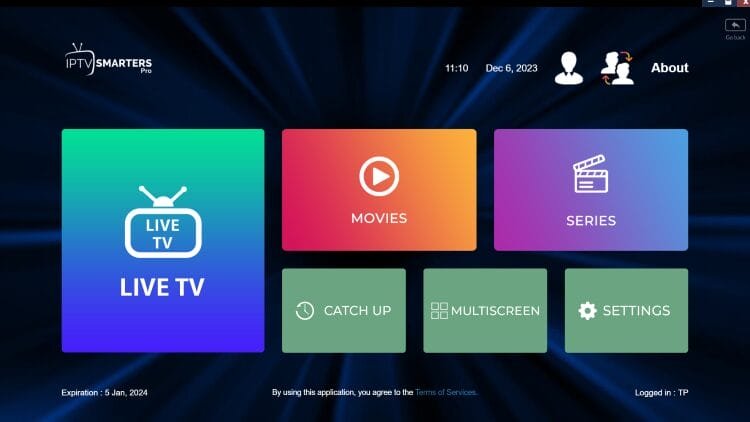
Step 3 – Launch the App and Log In
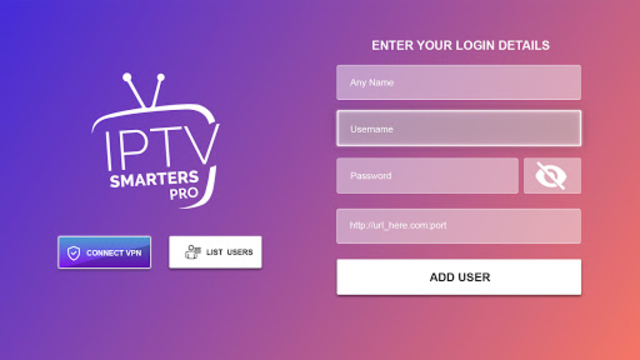
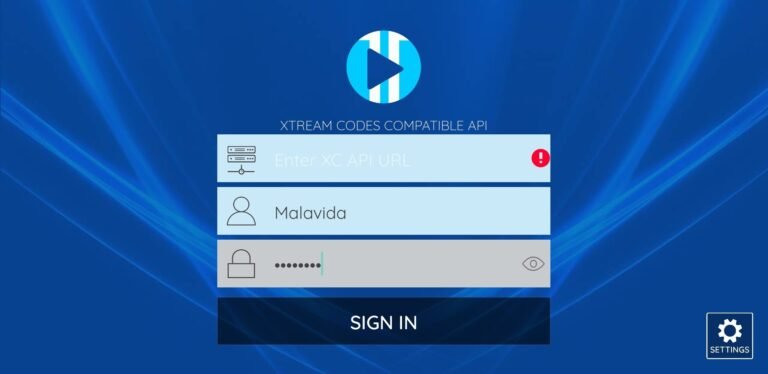
When you open the app, you’ll be asked to log in with your M3U playlist or Xtream Codes API provided by your IPTV UK service.
Step 4 – Load Your Channels
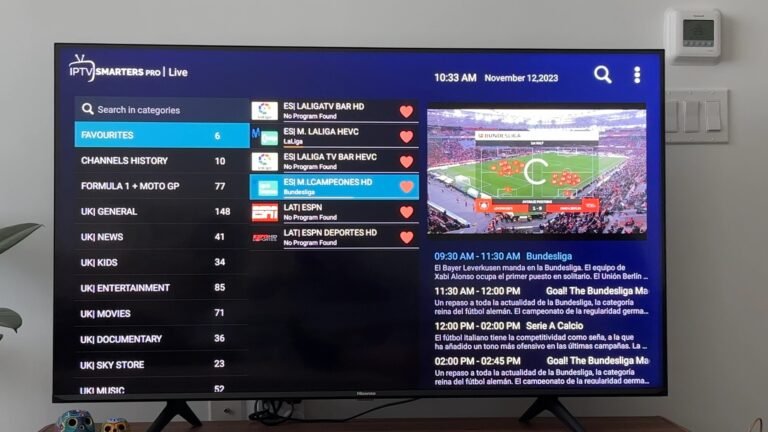
Once logged in, your channels, movies, and series will load automatically. You can browse by category or use the search function to find specific UK content. Pro Tip: For better performance, close background apps on your Smart TV and use a wired Ethernet connection if possible.
How to Install TiviMate on Smart TV (2025 Guide)
TiviMate is one of the most popular IPTV players for Smart TVs, offering a sleek interface, EPG (Electronic Program Guide) support, and an intuitive way to manage IPTV playlists. If you’re using IPTV UK services, TiviMate is a great option to watch live TV, sports, and movies in high definition.
Unlike IPTV Smarters Pro, which is available directly on some Smart TV app stores, TiviMate is mostly installed via the Google Play Store on Android TVs. For non-Android Smart TVs, you might need an additional device like an Amazon Firestick or Android TV Box.
Step-by-Step TiviMate Installation on Smart TV
Step 1 – Access Your TV’s App Store
If you have an Android-powered Smart TV (like Sony or Philips), open the Google Play Store.
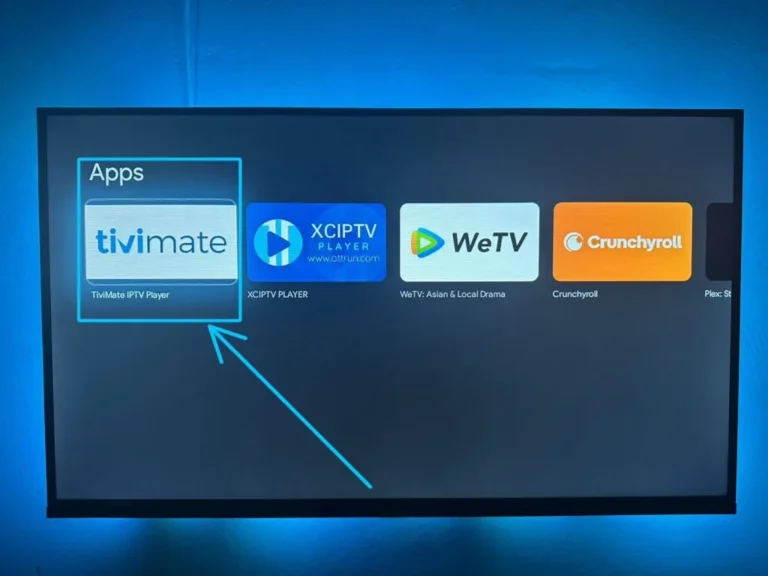
Step 3 – Install the App
Click Install and wait for the download to complete.
Step 4 – Launch TiviMate
Once installed, open the app from your TV’s apps menu
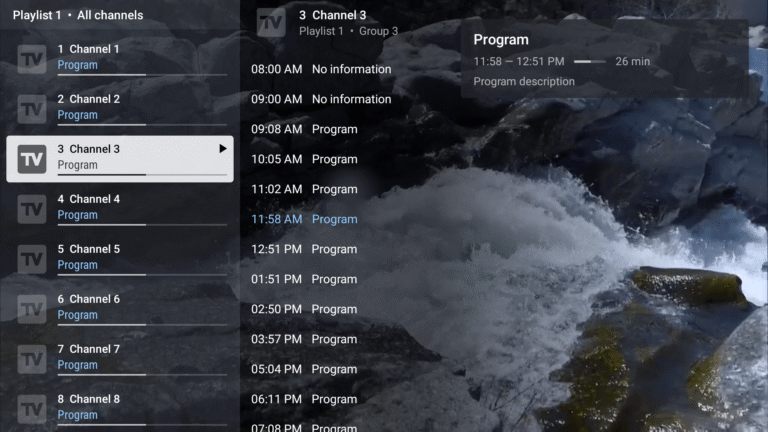
Step 5 – Add Your IPTV Playlist
In the TiviMate interface, select Add Playlist, then enter your IPTV provider’s M3U URL or Xtream Codes.
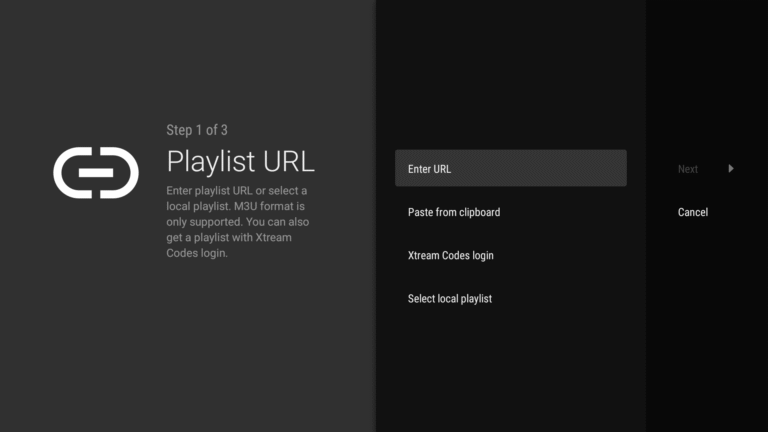
Step 6 – Enjoy IPTV Channels
Your channels will load, and you can start browsing via the EPG or category filters.
Why Use TiviMate for IPTV UK?
TiviMate is a favorite among UK IPTV users because of its smooth interface, fast channel switching, and customizable layout. It works perfectly for watching live football, UK TV shows, and on-demand movies without buffering—provided you have a stable internet connection and a reliable IPTV subscription.
Why TiviMate is a Popular Choice for IPTV Streaming
While there are many IPTV players available, TiviMate has built a reputation for offering one of the smoothest and most customizable streaming experiences. It supports both live TV and on-demand content, making it perfect for people who want an all-in-one entertainment hub. The user interface is clean, with easy navigation through channel lists, program guides, and favorites.
One standout feature is its Electronic Program Guide (EPG), which allows you to see upcoming shows and schedules in a traditional TV-style format. This makes it especially appealing for users who are moving from traditional satellite or cable TV to IPTV for the first time.
TiviMate also supports multiple playlists, so you can combine different IPTV sources in one place. Whether you want sports, movies, news, or international channels, the app can handle them all without needing multiple separate players.
Another reason for its popularity is performance. Unlike some IPTV apps that can feel slow or buggy, TiviMate is optimized for Android devices like the Amazon Firestick, Nvidia Shield, and Android TV boxes. This means faster load times, smoother channel switching, and less buffering when paired with a stable IPTV subscription.
Other Popular IPTV Players for Smart TV Users in the UK
While IPTV Smarters Pro and TiviMate remain top choices for many UK users, the IPTV market offers several other excellent players designed to meet different streaming needs. Below, we dive deeper into four additional popular IPTV players, their pricing models, compatibility, and standout features to help you make an informed decision for your Smart TV setup.
1. Smart IPTV (SIPTV)
Smart IPTV, often abbreviated as SIPTV, is a favorite among users with Samsung and LG Smart TVs. Its appeal lies in its simplicity and wide compatibility across various TV brands. Unlike subscription-based IPTV services, Smart IPTV operates on a one-time activation fee, currently priced around £5.49 per device. This makes it a cost-effective choice if you’re looking for a reliable IPTV player without recurring fees.
The app supports multiple playlist formats, including M3U and XMLTV for EPG, allowing you to customize your channel lineup extensively. Smart IPTV is known for its straightforward interface — there’s no clutter, making it easy even for IPTV beginners to set up and navigate.
However, Smart IPTV does not provide IPTV content itself; you’ll need an active IPTV subscription from a provider that supports playlist URLs compatible with the app.
Why choose Smart IPTV?
-
One-time fee — no monthly charges.
-
Compatible with many Smart TV brands, including Samsung and LG.
-
Regularly updated to support new IPTV features.
2. XCIPTV Player
XCIPTV Player is rapidly gaining traction, especially among Android TV and Firestick users in the UK. The base app is free to use, supported by ads, but a premium subscription is available for roughly £3.50 per month. Upgrading removes ads and unlocks features such as cloud sync, catch-up TV, and advanced EPG options.
Designed with user-friendliness in mind, XCIPTV offers seamless support for multiple IPTV playlists, which means you can consolidate different subscriptions into one interface. The app also supports on-demand video libraries, making it a versatile player for live TV and VOD content.
XCIPTV’s regular updates focus on stability and performance improvements, ensuring a smooth streaming experience for UK IPTV users.
Key benefits of XCIPTV:
-
Free version with option to upgrade for more features.
-
Supports multiple playlists and EPG guides.
-
Ideal for Firestick and Android TV devices.
3. Perfect Player IPTV
Perfect Player IPTV appeals to a niche segment of tech-savvy users who prefer a lightweight, no-frills IPTV player. It’s completely free with no hidden charges or subscriptions. However, it does require a bit more technical knowledge for setup, as users need to manually input playlist URLs and configure settings for the best experience.
The player supports M3U and XSPF playlists and includes options to customize the layout, fonts, and other interface elements. Perfect Player is well-suited for users who want to fine-tune their IPTV viewing experience without dealing with ads or subscription fees.
The app is compatible with a wide range of devices, including Android smartphones, tablets, Windows PCs, and some Smart TVs that allow sideloading or support Android apps.
Why consider Perfect Player?
Free to use with no ads.
Highly customizable interface.
Supports advanced playlist formats for IPTV power users.

4. Hot IPTV
Hot IPTV is a bit different from the other apps listed here — it’s a full IPTV service provider that also offers its own app compatible with most Smart TVs, Android devices, Firestick, and even web browsers. Pricing typically starts around £7 to £10 per month, depending on the package you choose.
What makes Hot IPTV stand out is its built-in VPN service included in the subscription, giving users added privacy and security while streaming. This is especially important given the legal and privacy considerations often associated with IPTV streaming in the UK.
Hot IPTV offers access to a wide range of live TV channels, movies, and on-demand content. The app’s interface is user-friendly and regularly updated to provide new features and bug fixes.
Highlights of Hot IPTV:
Subscription includes VPN for enhanced privacy.
Large selection of UK and international channels.
Compatible with multiple devices, including Smart TVs and web browsers.

Ready to Experience the Best IPTV on Your Smart TV?
Choosing the right IPTV player is just the first step — the next is getting a reliable IPTV subscription that works seamlessly with your Smart TV and favorite apps like TiviMate, IPTV Smarters Pro, or Hot IPTV.
At DOTTV.UK, we offer exclusive IPTV packages tailored for UK viewers, featuring thousands of live TV channels, on-demand movies, sports, and more — all backed by fast, stable servers and included VPN protection for your privacy.
Whether you’re new to IPTV or upgrading your current service, our team makes it easy to get started with clear setup guides, responsive support, and flexible subscription plans.
Don’t wait — try DOTTV.UK risk-free today!